Features
Everything you need for expense management in one platform.
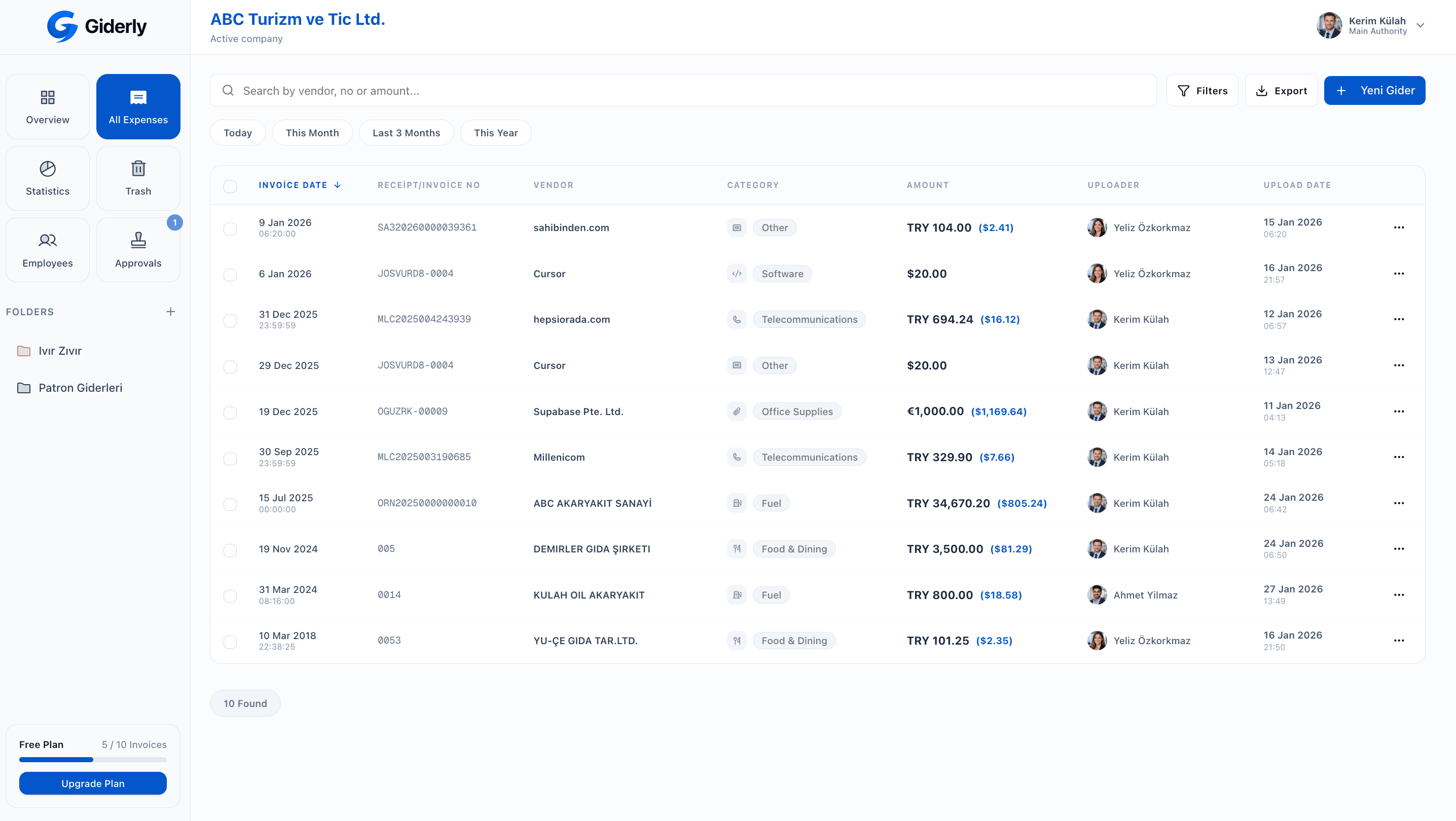
Individual User / Manager Panel
Individual users, business owners, and authorized managers sign in here. Use it in your browser or install it on your phone or tablet.
- Overview, all expenses, and statistics
- Add expenses via file upload, manual entry, or photo
- Use in browser or install on your device
- Smart folders, trash bin, and export
- Business accounts: employee management, approvals, reimbursements
Employee Mobile Panel
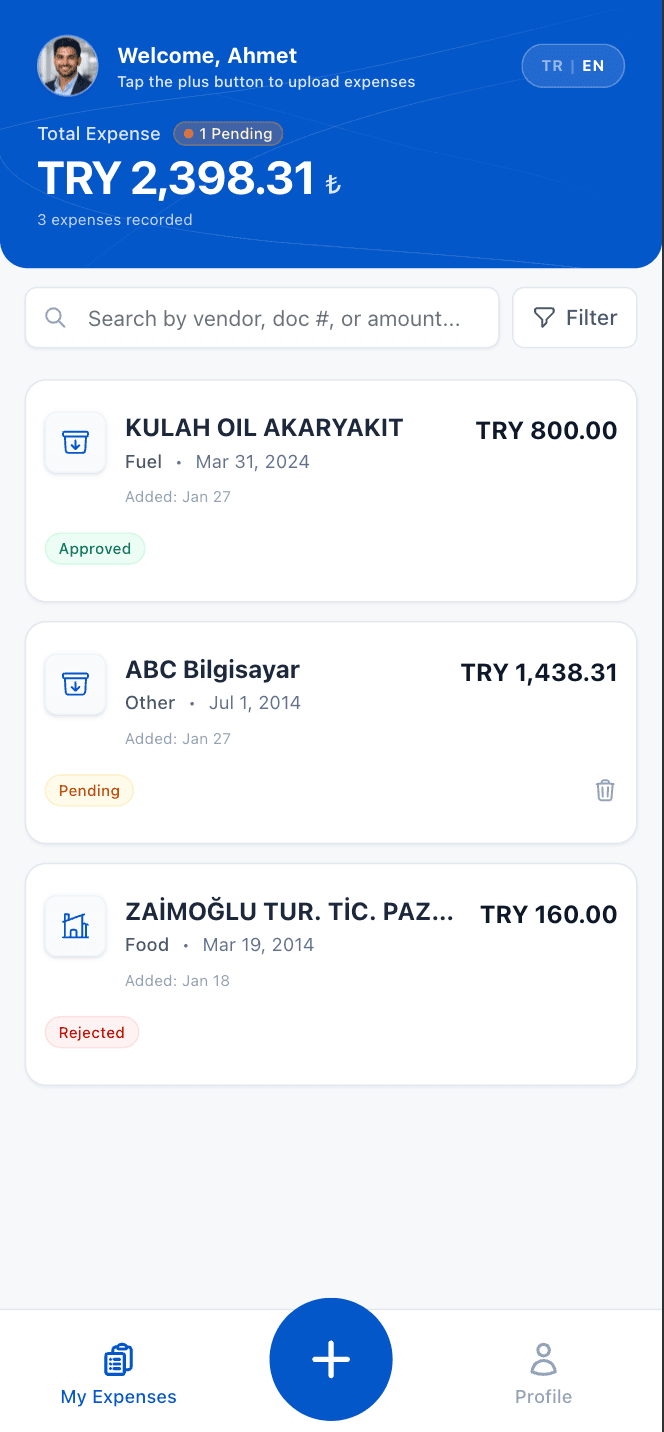
Separate from the web app and for employees only. Use it in a browser or install it on your phone; employees upload receipts with a login separate from the manager account.
- Use in browser or install on your device
- Quick upload via camera, gallery, or PDF
- Approved, pending, and rejected expenses
- Mark expenses as reimbursable
- Uploaded expenses go to the approval queue automatically
Not available on personal accounts. Employees are invited by the company.





How It Works?
Expense management with Giderly consists of only 3 steps. Forget complex processes.


Harcama Düzenle
Veriler yapay zeka tarafından ayıklandı

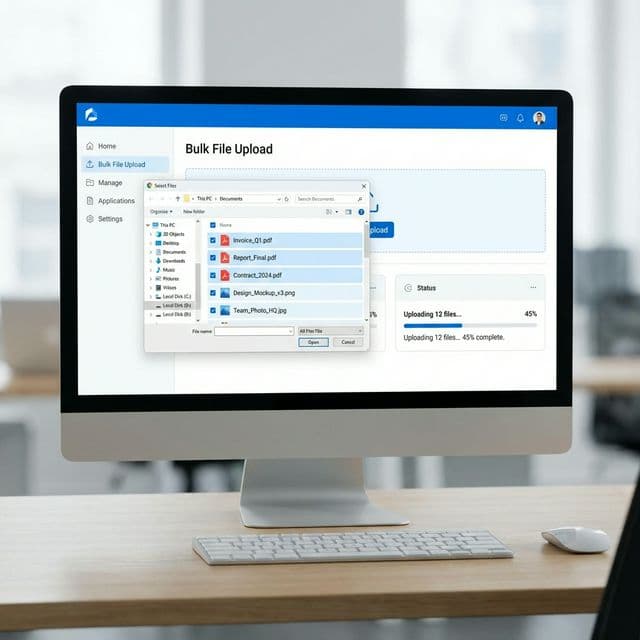
1. Upload Expense
Take a photo of the receipt or invoice, upload it from your device, or send it by email. PDF, JPG, or PNG formats are supported.
2. Let AI Analyze
AI technology reads vendor, date, amount, content, and tax information in seconds; automatically categorizes it and presents it for your approval.
3. Review and Approve
Parsed data is presented for your approval side-by-side with the original document. Company accounts route it automatically to the manager or accountant based on the approval flow you set up.
Harcama Düzenle
Veriler yapay zeka tarafından ayıklandı
How It Works?
Expense management with Giderly consists of only 3 steps. Forget complex processes.
1. Upload Expense
Take a photo of the receipt or invoice, upload it from your device, or send it by email. PDF, JPG, or PNG formats are supported.
2. Let AI Analyze
AI technology reads vendor, date, amount, content, and tax information in seconds; automatically categorizes it and presents it for your approval.
3. Review and Approve
Parsed data is presented for your approval side-by-side with the original document. Company accounts route it automatically to the manager or accountant based on the approval flow you set up.