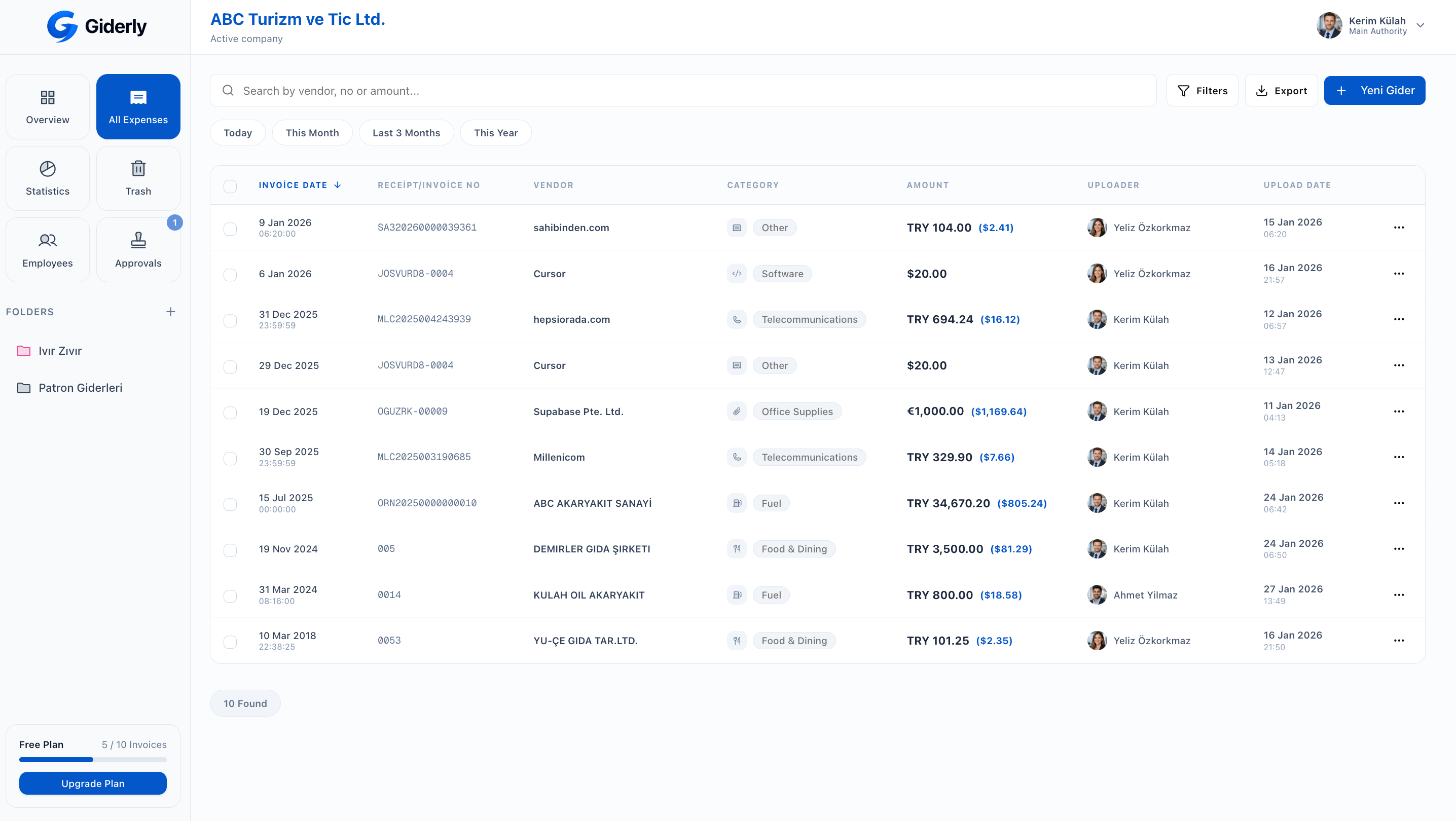
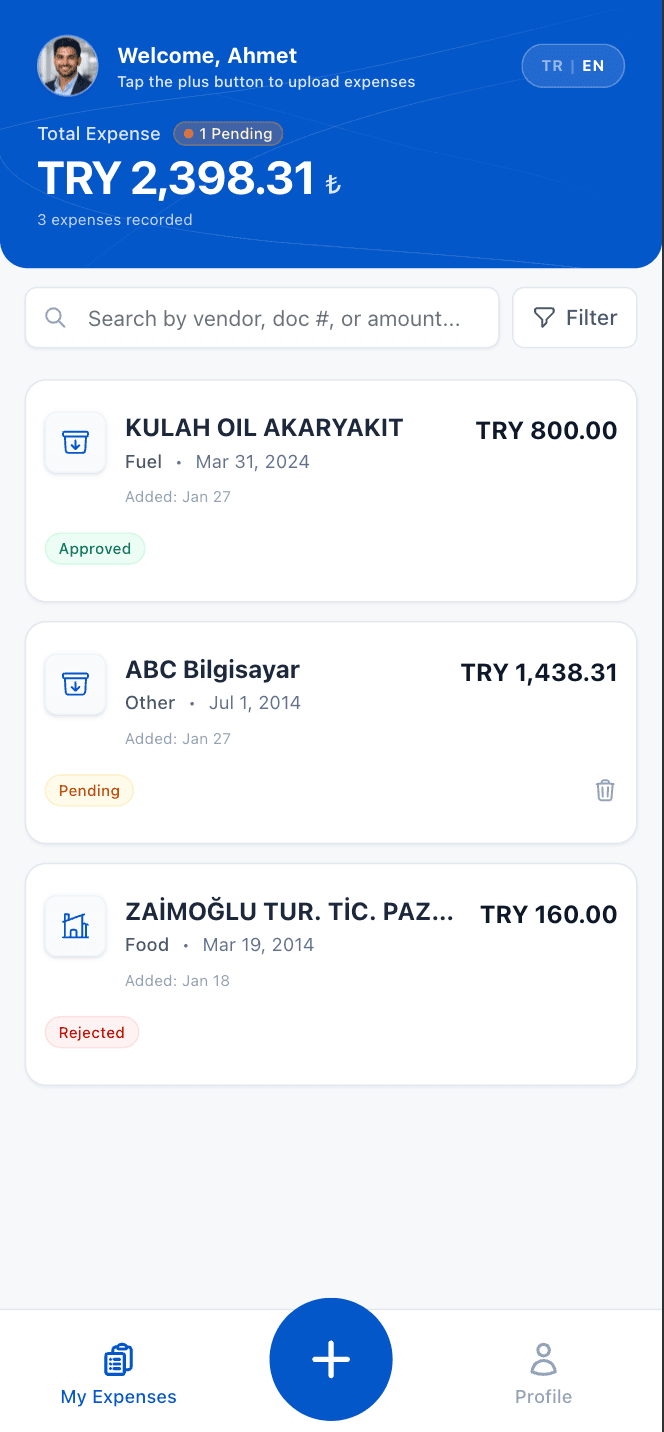
SECURE AND FLEXIBLE INFRASTRUCTURE


Features
Everything you need for expense management in one platform.
ready



Who is Giderly For?
Customized solutions for users and businesses of all scales.

Individual Users and Freelancers
Individual Users
Those who want to track, categorize, and analyze personal expenses in one place.
Freelancers
Freelancers who want to keep income-expense balance under control and be prepared for tax processes.
Corporate Firms and Employees
Business Owners & Managers
Businesses wanting to see employee expenses instantly, control budgets, and make financial processes transparent.
Finance & Pre-accounting Processes
Teams wanting to reduce internal accounting load, organize expense flow, and streamline pre-accounting tracking.


Accountants and CPAs
CPAs & Accountants
Professionals who want to manage expenses of multiple companies from a single panel.
How It Works?
Expense management with Giderly consists of only 3 steps. Forget complex processes.


Harcama Düzenle
Veriler yapay zeka tarafından ayıklandı

1. Upload Expense
Take a photo of the receipt or invoice, upload it from your device, or send it by email. PDF, JPG, or PNG formats are supported.
2. Let AI Analyze
AI technology reads vendor, date, amount, content, and tax information in seconds; automatically categorizes it and presents it for your approval.
3. Review and Approve
Company accounts route it automatically to the manager or accountant based on the approval flow you set up.
Harcama Düzenle
Veriler yapay zeka tarafından ayıklandı
How It Works?
Expense management with Giderly consists of only 3 steps. Forget complex processes.
1. Upload Expense
Take a photo of the receipt or invoice, upload it from your device, or send it by email. PDF, JPG, or PNG formats are supported.
2. Let AI Analyze
AI technology reads vendor, date, amount, content, and tax information in seconds; automatically categorizes it and presents it for your approval.
3. Review and Approve
Company accounts route it automatically to the manager or accountant based on the approval flow you set up.
Pricing
Choose the plan that fits your needs
Free
Introduction to smart expense tracking
- 10 Smart Expense Credits / Month
- Unlimited Manual Expense Entry
- Multi-Currency Support
- Basic Statistical Reports
- Bulk Expense Upload
- CSV / Excel / PDF Export
- Multiple Client Companies
Personal Package
Full control in personal expense management
- 100 Smart Expense Credits / Month
- Unlimited Manual Expense Entry
- Multi-Currency Support
- Advanced Statistics
- Bulk Expense Entry
- Excel / CSV Export
- Multiple Client Companies
Accountant Package
Designed for accountants and professionals
- 500 Smart Expense Credits / Month
- Unlimited Manual Expense Entry
- Multi-Currency Support
- Bulk Expense Upload
- Custom Export Settings
- Multiple Client Companies
- Accounting Account Code Mapping
Enterprise
Full control for SMEs and growing businesses
- Customizable Approval Workflows
- Employee Management
- Authorization Hierarchy
- 10-1000+ Team Capacity
- Advanced Export
- Custom Integrations
- Priority Support Service
* Annual upfront payments include a 2-month bonus campaign.
Visit the pricing page for a detailed comparison →Frequently Asked Questions
Common questions about Giderly.